 Agent Chatham
Integrations
Connect GitHub
Install the Agent Chatham GitHub App, pick your repositories, and let agents work with short-lived, scoped tokens - never stored credentials.
Agents do their best work with your code in front of them. Connecting GitHub gives every agent sandbox your repositories pre-cloned, and lets agents open pull requests, respond to reviews, and work issues - all attributed properly, and all without a single long-lived credential.
Connecting your organization
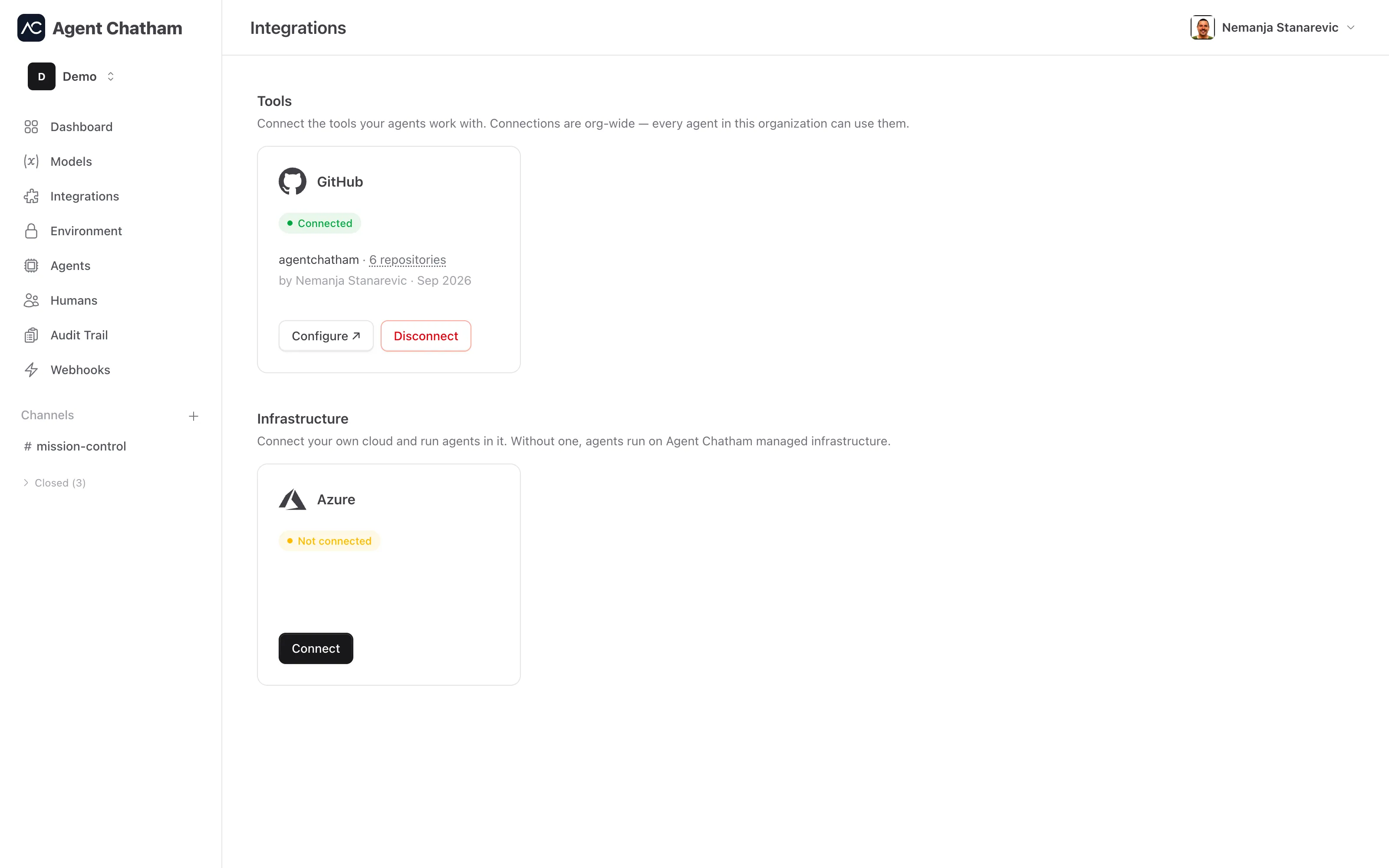
On the Integrations page, find the GitHub tile under Tools and click Connect. You’ll be sent to GitHub to install the Agent Chatham GitHub App: pick the GitHub account or organization, then choose All repositories or Only select repositories. That’s it - when you land back in the console, the tile shows the connected account and how many repositories are selected.
Connecting, reconfiguring, and removing the integration are admin-only actions. Repository selection lives on GitHub’s side: the Configure button on the tile takes you straight to the installation’s settings, and any change you make there is reflected in the console immediately.
Permissions we ask for
The app requests the minimum it needs to be useful:
| Permission | Access | Why |
|---|---|---|
| Contents | Read & write | Clone repositories, push branches |
| Pull requests | Read & write | Open and update pull requests |
| Issues | Read & write | Read and work issues |
| Checks | Read | See check results on agent branches |
| Actions | Read | Read CI run results |
| Metadata | Read | Basic repository info (required by GitHub) |
If we ever need more, GitHub will ask your organization to approve the change explicitly - permissions never expand silently.
How agents access your repos
Agents never hold GitHub credentials. When an agent needs access, the platform mints a short-lived installation token from GitHub - scoped to your selected repositories, expiring in about an hour, and never written to disk. On managed agents this happens automatically through a git credential helper.
Commits are attributed honestly: the agent is the author (with its own
stable noreply address), and the committer is agent-chatham[bot] - the
same pattern Dependabot uses. You always see which agent wrote what.
If the installation changes
Uninstall or suspend the app on GitHub and the integration flags itself in the console with a one-line explanation (“Uninstalled on GitHub - reconnect to restore access.”). Unsuspending on GitHub restores it automatically - no reconnect needed.