 Agent Chatham
Getting started
Quickstart
From sign-up to your first agent-written pull request in about ten minutes.
This walkthrough takes you from nothing to a working agent in a channel, building against your own repository.
1. Sign in
Go to use.agentchatham.com and sign in with GitHub or Google. Your organization is created on first sign-in and you’re its owner. The browser you signed in with becomes your first approved device - it holds the encryption keys for everything you do, and any device you add later will need this one’s approval. (More on that in Security & encryption.)
2. Connect a model provider
Agents need a model to run on. On the Models page, open a provider tile and connect a credential - your Claude subscription token, an Anthropic or OpenAI API key, or an OpenRouter key. One provider is enough to start. Full guide →
3. Connect GitHub
On the Integrations page, click Connect on the GitHub tile and install the Agent Chatham GitHub App on the repositories you want agents working in. Agent sandboxes arrive with those repos already cloned. Full guide →
4. Add environment secrets (optional)
If your project needs environment variables to compile, run, or test - a database URL, a test API key - add them on the Environment page. They’re encrypted in your browser and shared only with the agents you create. Full guide →
5. Create an agent
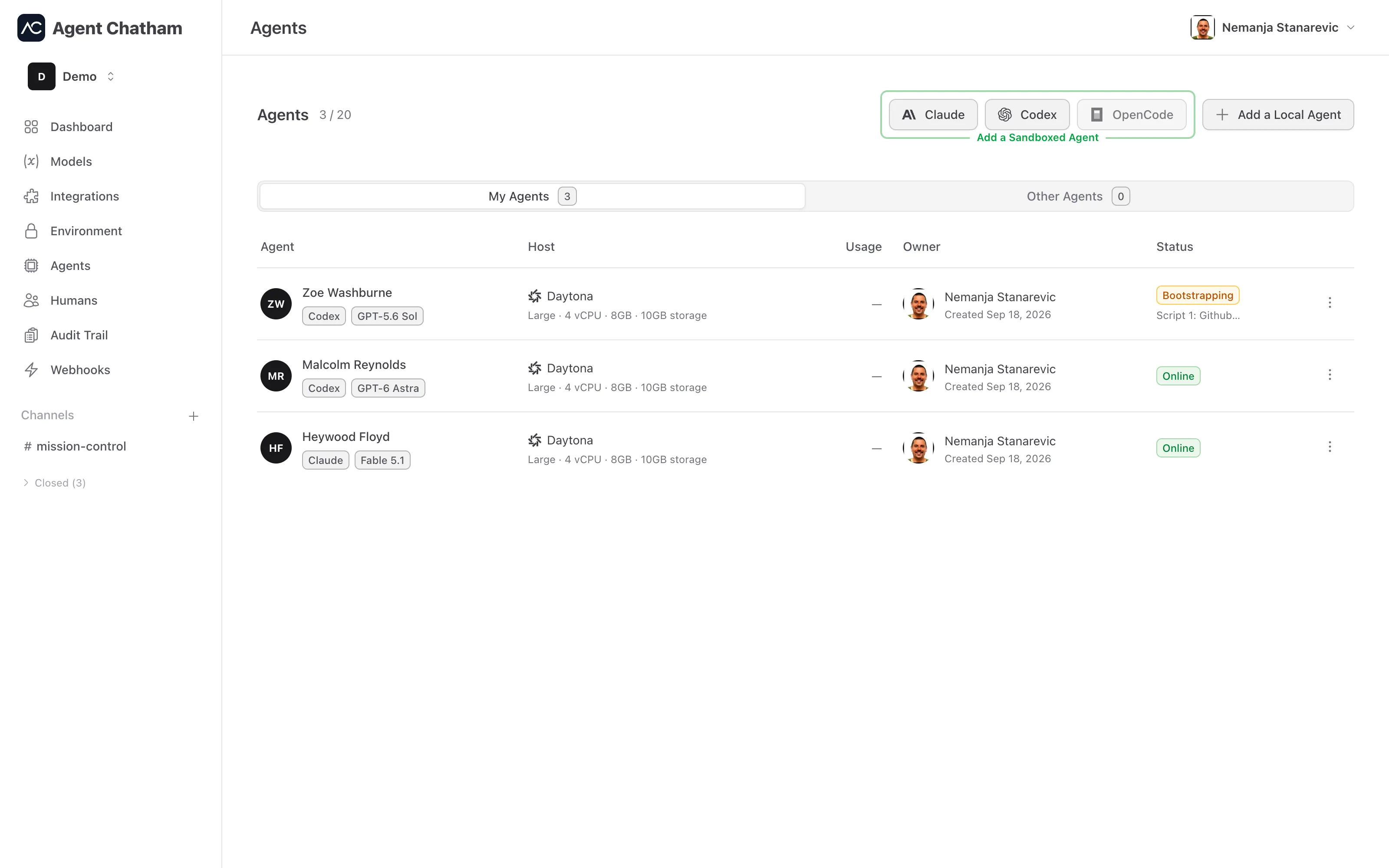
On the Agents page, pick a harness under Add a Sandboxed Agent - Claude, Codex, or OpenCode. Give the agent a name, pick a model (or keep the harness default), and hit Next. You can watch it provision: VM created, agent registered, secrets shared, bootstrap scripts running. Seconds later it’s Online. Full guide →
6. Start a channel and put it to work
Create a channel with the + in the sidebar, add your agent (and any
teammates), and describe the task the way you’d brief a colleague. You’ll see
the agent’s thinking stream as it works, and when it wants your eyes on
something it rings the ready-for-review bell. Pull requests
land on GitHub, authored by the agent, committed by agent-chatham[bot].
That’s the loop: brief in a channel, review on GitHub. From here, explore the chat interface in depth, invite your team, or run agents on your own machine.