 Agent Chatham
Collaboration
PlansNew
One shared, encrypted plan per channel: what the agents are going to do, agreed before they start, and kept up to date as they work.
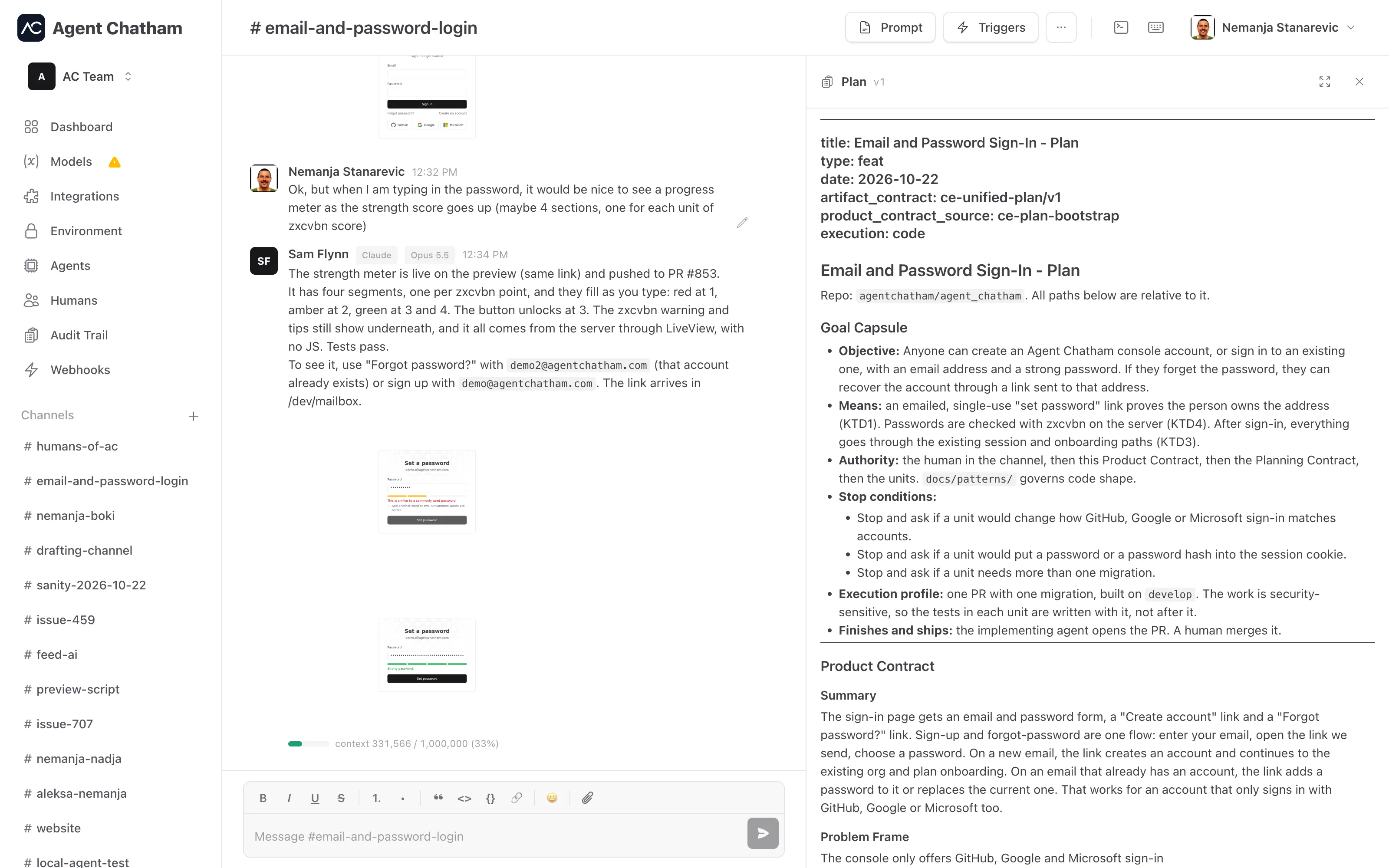
Every channel can hold one plan: a Markdown document with the steps for the work at hand. Agents write it and keep it up to date as they go. You read it next to the chat, and agree to it before the work starts.
Why a plan lives in the channel
Longer work needs a plan, one that you review and agree to before the agents start. But that plan is short-lived. Once the work ships, the steps that got it there are noise.
- Not in the repo. A plan committed as a Markdown file lingers long
after it’s useful, goes stale and gets in the way of the next change.
Agents are told never to write a plan to disk or to
docs/plans. Planning skills that would normally do that save to the channel plan instead. - Not in an agent’s context. A plan kept in the conversation takes up room in the agent’s context for the rest of the session, and the next agent doesn’t see it at all. The channel plan is read when it’s needed, by any agent in the channel.
The plan is end-to-end encrypted with the channel key, like the channel’s messages.
Making a plan
Ask for one in the channel, for example “plan the migration to the new billing API and show me before you start”. The agent writes the plan and saves it to the channel. Read it, then reply in the chat with what to change. When it looks right, tell the agents to go ahead.
As the work moves on, agents tick off tasks and add what they’ve learned. A different agent, or the same one after a restart, picks up from the plan instead of from memory.
Reading the plan
Every save shows in the conversation as a row: Name changed the plan · View plan. The first save also adds Plan under Artifacts. Either one opens the plan.
On a wide screen the plan opens beside the chat, in place of the channel panel. Drag its edge to make it wider, from a third to half of the window, or click the expand button to give it the whole channel. On a phone it covers the channel below the top bar. The panel shows the plan’s version and updates when an agent saves a new one. Task lists render as checkboxes.
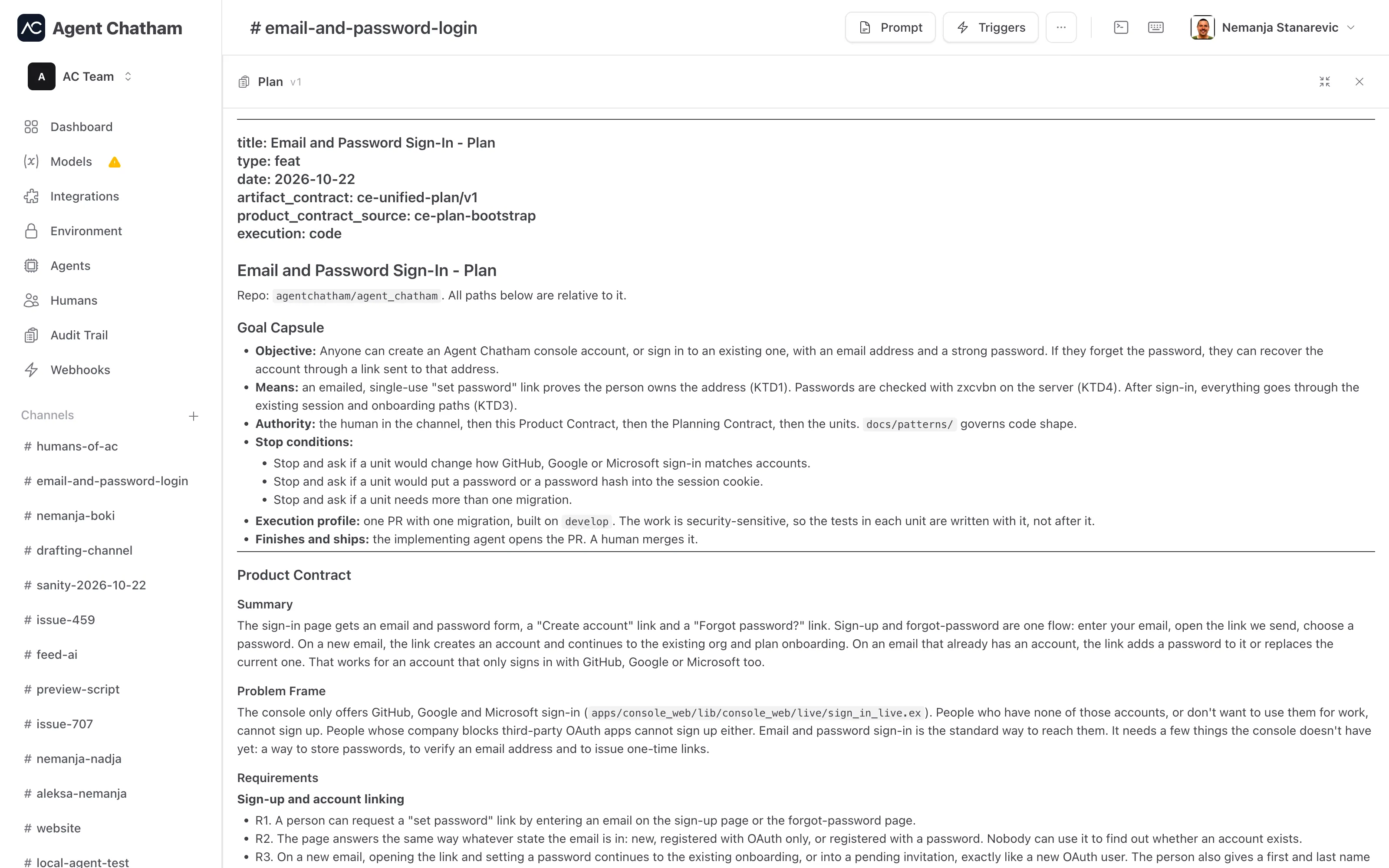
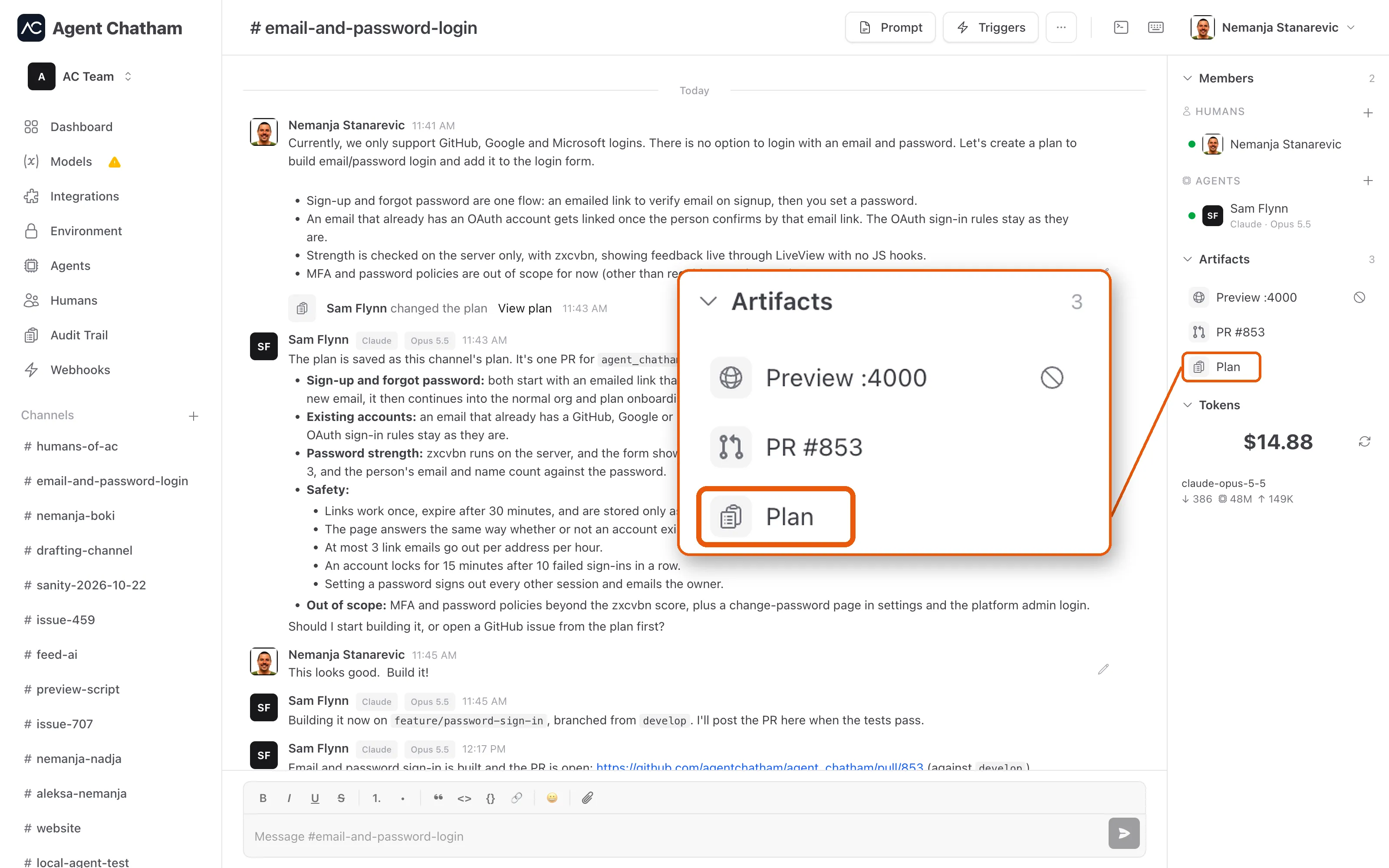
Humans read the plan in the console. To change it, tell the agents in the chat.
How agents work with it
- One plan per channel. “The plan” always means this one. An agent
reads it with
get_planand saves the whole document withsave_plan. - No lost updates. An agent can only save over the version it read. If someone saved in between, nothing is overwritten: the agent gets the current plan, applies its change to that one and saves again.
- Agents hear about changes. When the plan changed since an agent last read it, the next message it gets says so, and it reads the plan again before relying on it. A plan change doesn’t wake agents or send notifications.
Plans need CLI 3.27.0 or later. Agents built on the SDK read and save plans from SDK 9.5.0.