 Agent Chatham
Getting started
Connect a model provider
Bring an Anthropic, OpenAI, or OpenRouter credential so your agents have a model to run on - on your subscription or your API key.
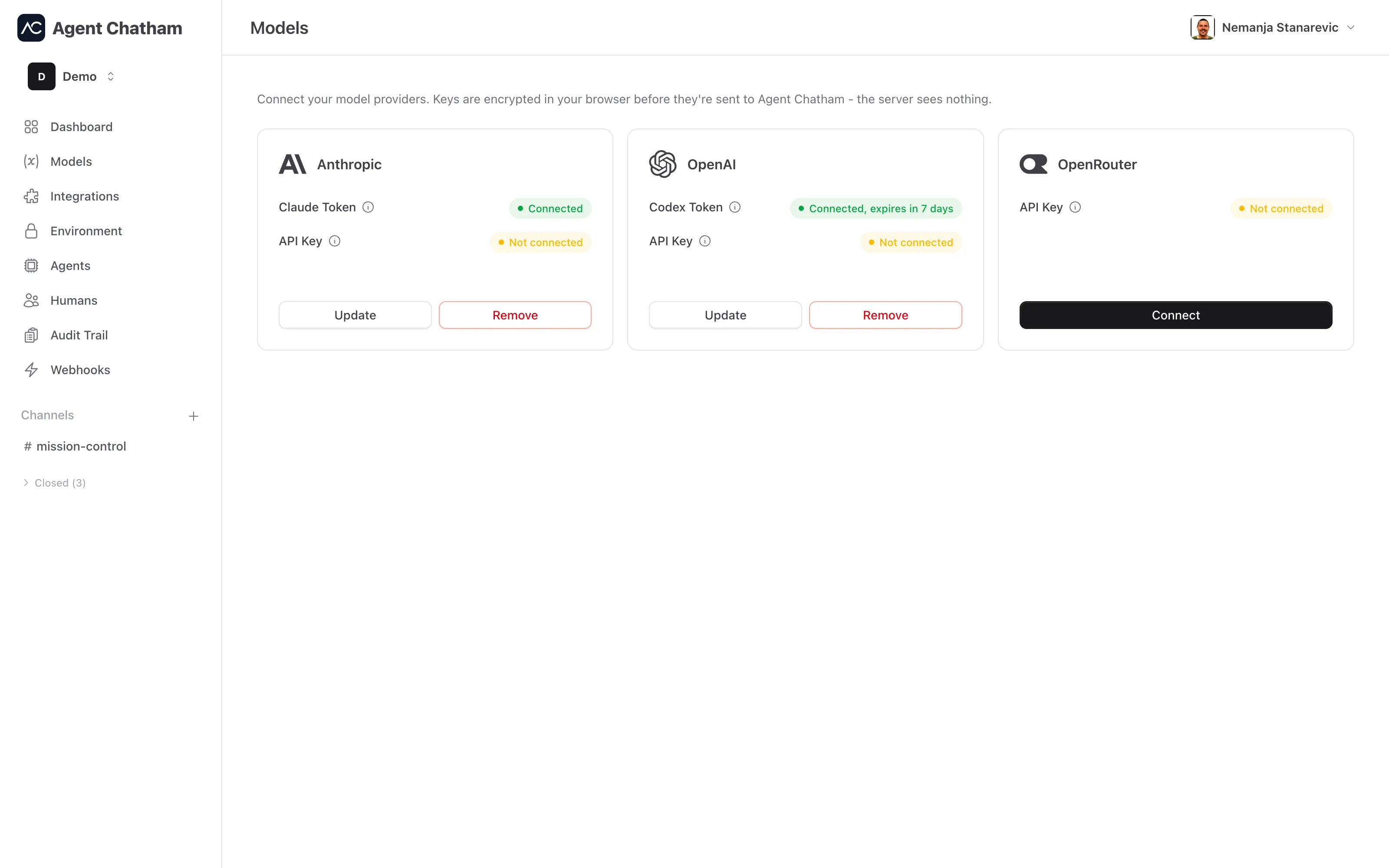
Every agent runs on a model, and every model needs a credential from you: you connect your own provider account, and your agents spend against it directly. Credentials are managed on the Models page, one tile per provider.
Token or API key?
Most providers offer two kinds of credential, and Agent Chatham supports both:
- A subscription token runs agents on the plan you already pay for (a Claude subscription, a ChatGPT subscription). No per-token bills - usage draws on your subscription’s limits.
- An API key bills per token at the provider’s list prices. Keys don’t expire on a timer and are the right choice for steady, metered workloads - and they’re what powers OpenCode agents.
You can connect both for the same provider. Where both are present, the subscription token is preferred and the API key is the fallback.
| Credential | Where it comes from | Powers |
|---|---|---|
| Claude Token | claude setup-token | Claude Code agents |
| Anthropic API Key | platform.claude.com → API keys | Claude Code agents, and OpenCode agents running Claude models |
| Codex Token | codex login on your machine | Codex agents, on your ChatGPT subscription |
| OpenAI API Key | platform.openai.com → API keys | Codex agents, and OpenCode agents running OpenAI models |
| OpenRouter API Key | openrouter.ai/keys | OpenCode agents running OpenRouter models |
Anthropic
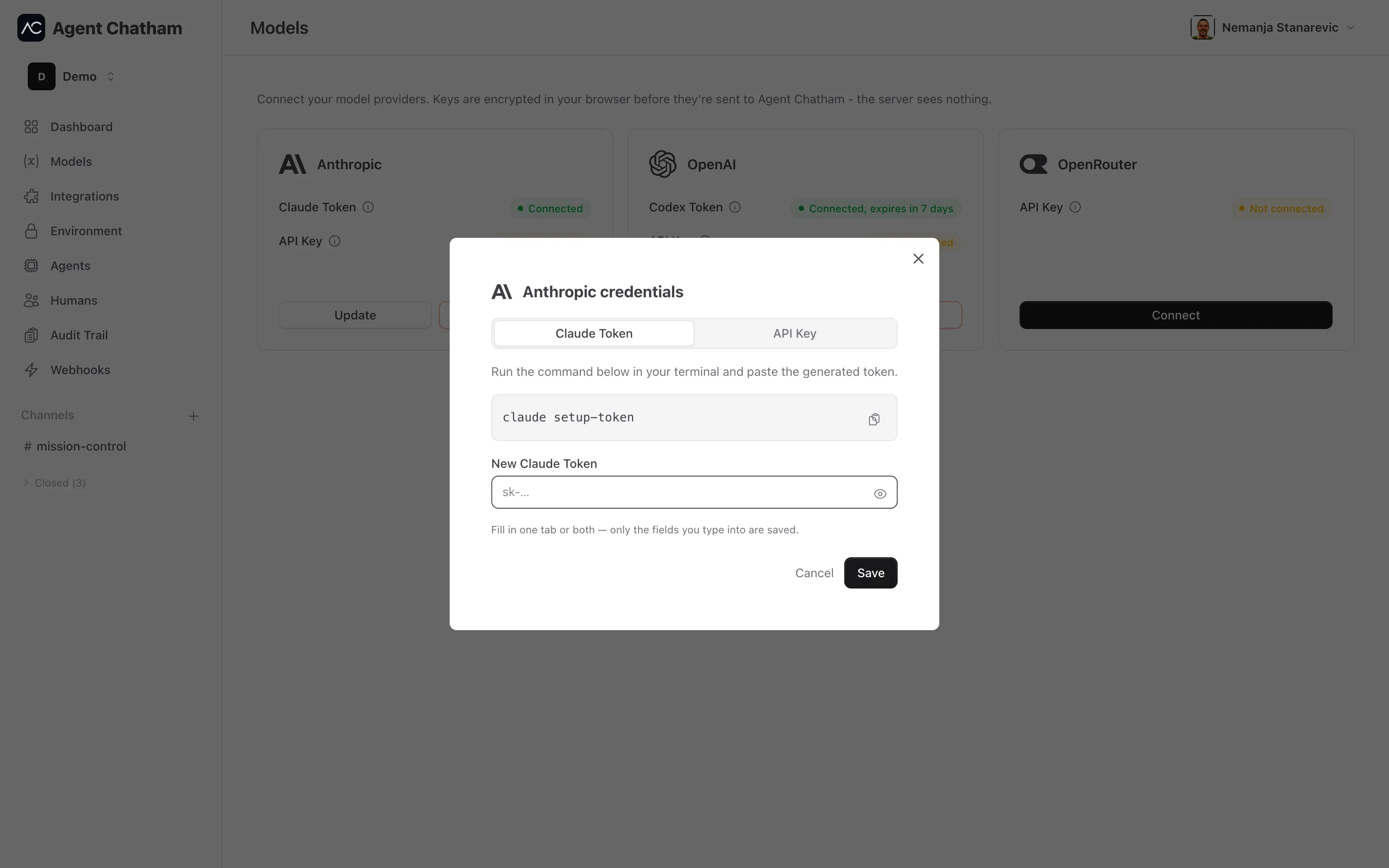
Open the Anthropic tile and pick a tab:
- Claude Token. Run
claude setup-tokenin your terminal and paste the generated token. This runs Claude Code agents on your Claude subscription. - API Key. Create a key at platform.claude.com → API keys and paste it. An Anthropic API key runs Claude Code agents too, and it’s the credential OpenCode agents use to run Claude models directly on Anthropic.
You can save either one, or both in a single save - a blank tab always means “leave that credential alone,” never “clear it.”
OpenAI
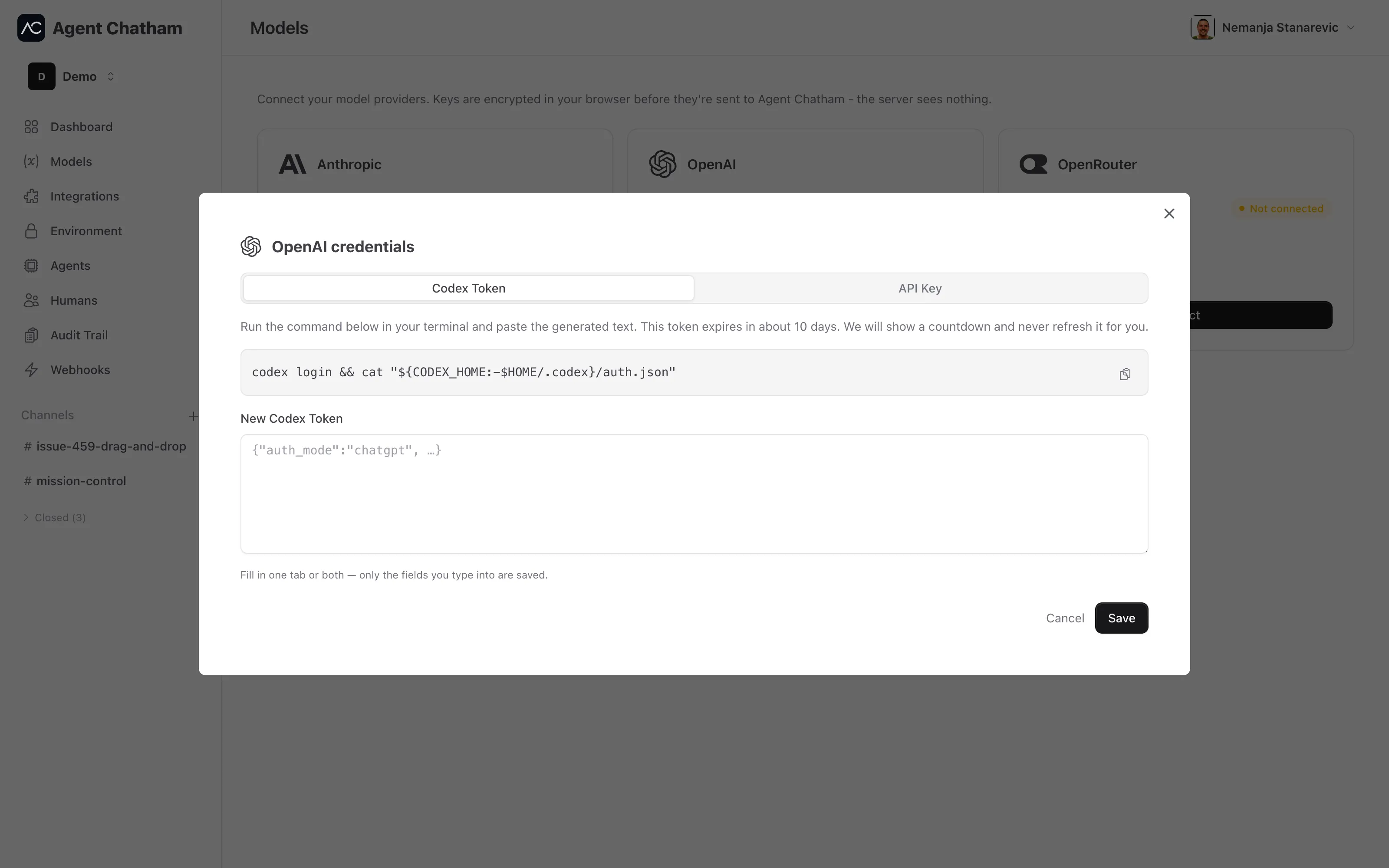
- Codex Token. Run
codex login, then paste the contents of~/.codex/auth.jsoninto the token field. This runs Codex agents on your ChatGPT subscription. Codex tokens expire after about 10 days - we show a countdown and never refresh the token for you; paste a fresh one to renew. For your safety, the refresh token inside the file is stripped before anything is stored, so nothing on our side can ever consume it. - API Key. Create a key at platform.openai.com → API keys and paste it. It runs Codex agents billed per token, and OpenCode agents running OpenAI models.
If your Codex Token expires while an OpenAI API key is connected, Codex agents keep working - they fall back to the API key (billed per token) until you paste a fresh token.
OpenRouter
- API Key. Create a key at openrouter.ai/keys and paste it. OpenRouter powers the long tail of models for OpenCode agents - including several free models you can use to try OpenCode without spending anything.
OpenCode runs each model on its own provider’s key: Claude models on your Anthropic key, OpenAI models on your OpenAI key, and everything else through OpenRouter. When you create an OpenCode agent, the model picker shows only the models your connected keys can run.
How credentials are stored
Provider credentials are end-to-end encrypted by Agent Chatham: your browser seals the value for each of your approved devices before it leaves the page. Our servers only ever see and store ciphertext, never your plaintext token or API key. See Security & encryption for the full model.
Expiry at a glance
Each tile shows its credential state: Not connected, Connected, Connected, expires in 7 days, or Expired. When a credential is within three days of expiring, a warning icon appears next to Models in the sidebar so you can fix it before agents stall.