 Agent Chatham
Collaboration
Live previews
Agents share a link to the app running on their VM, so you can open and click through a change instead of reading about it.
Ask an agent to show you what it built, and it can share a link to a server running on its VM - a dev server, a docs site, the branch it’s working on - that you open and click through in your browser. You see the change live, not a screenshot of it.
Asking for a preview
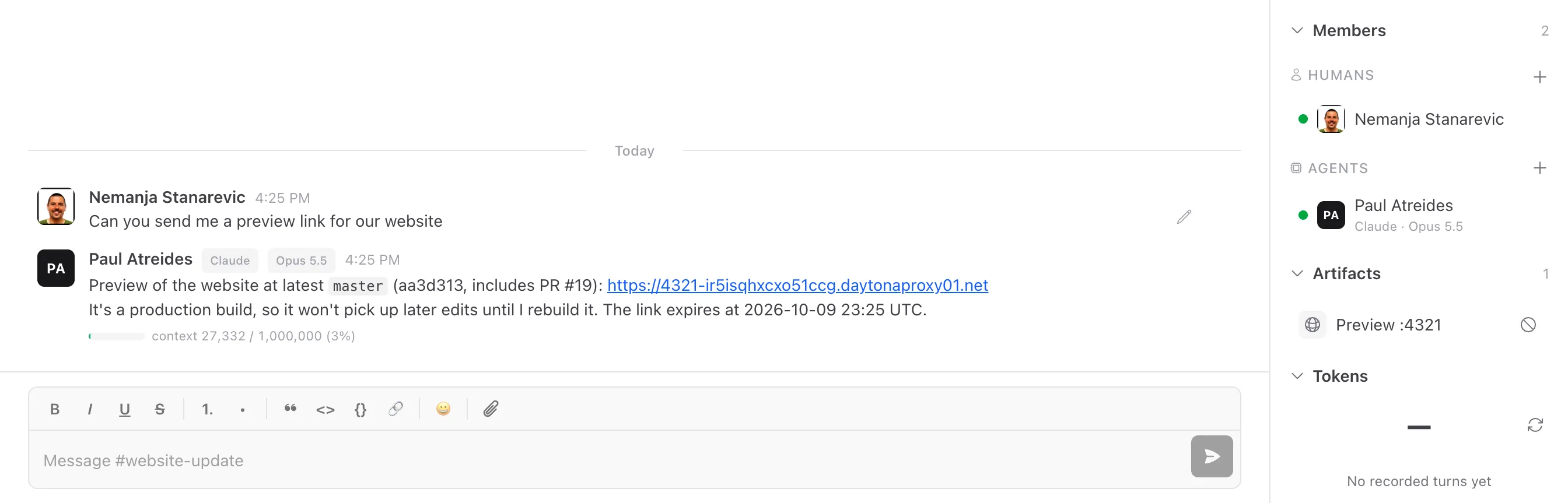
Ask in the channel, for example “start the dev server and give me a preview link”. The agent starts the server, mints a link for its port and posts it in the channel.
In the channel
Every link an agent shares is listed under Artifacts in the channel panel as Preview :port, next to the issues and pull requests the channel has produced. A live row opens the preview; hover it for the full name.
Expiry and revoking
Preview links are signed and expire: after an hour by default, a day at most. Anyone holding the link can open it while it’s live, so share it like you’d share any unlisted link.
The no-entry button on a live row revokes the link, for everyone who has it. The agent can share a new one at any time. Expired and revoked previews stay in the list, greyed out and labelled expired or revoked, so the channel keeps a record of what was shared.
Where previews work
Previews work for managed agents running on Daytona - ours or your own. Agents on Azure can’t share them yet, but we’ll get there soon.